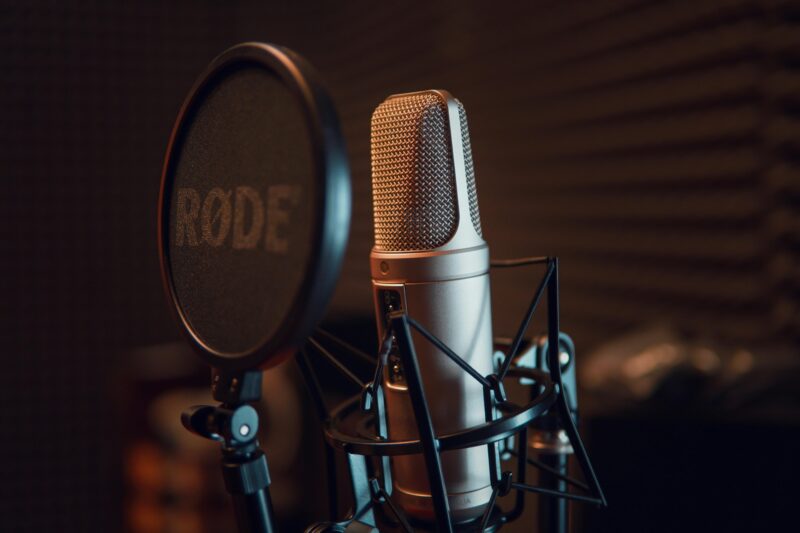
Setting up a home music studio can be an exciting journey, whether you’re a budding musician or an experienced producer. The right equipment for a home music studio can make all the difference in the quality of your recordings and the ease of your workflow. In this guide, we’ll explore all the essential gear you need to create a functional and inspiring space for music creation.
Why You Need a Home Music Studio
Creating your own music studio at home allows you to express your creativity without the constraints of time and budget that come with renting studio space. You can record whenever inspiration strikes, experiment with sounds, and develop your skills at your own pace. Plus, the satisfaction of producing music in your own space is truly rewarding!
Essential Equipment for Your Home Music Studio
When it comes to setting up your home studio, there are several key pieces of equipment you’ll need. Let’s break them down into manageable categories so you can understand what each piece does and why it’s important.
1. Computer
Your computer is the heart of your home music studio. It acts as the central hub where all your recordings are processed and edited. Here’s what to consider:
- Specifications: Aim for at least 8GB of RAM and a fast processor. If you can, go for 16GB or more, especially if you plan on using demanding software.
- Storage: A minimum of 1TB of storage is recommended to accommodate all your audio files and software.
Whether you choose a Mac or PC is up to personal preference, but ensure it meets the requirements of your chosen Digital Audio Workstation (DAW) software.
2. Digital Audio Workstation (DAW)
A DAW is software that allows you to record, edit, and produce audio files. Some popular options include:
- Ableton Live: Great for electronic music production.
- Logic Pro X: A favorite among Mac users.
- FL Studio: Known for its user-friendly interface.
Choose one that fits your style and workflow preferences. Many DAWs offer free trials, so take advantage of those to find the best fit for you.
3. Audio Interface
An audio interface is crucial for converting analog signals (like those from microphones) into digital data that your computer can process. Here’s what to look for:
- Inputs/Outputs: Make sure it has enough inputs for your needs—typically at least two for simultaneous recording.
- Quality: Look for interfaces with high-quality preamps to ensure clear sound capture.
Popular choices include Focusrite Scarlett series or PreSonus AudioBox.
4. Microphones
Microphones are essential for capturing vocals and instruments. Here are some types to consider:
- Dynamic Microphones: Great for live performances and untreated rooms; they handle high sound pressure levels well.
- Condenser Microphones: Ideal for studio recordings as they capture a wider frequency range and detail.
For versatility, consider getting both types. A good starter mic is the Audio-Technica AT2020, which offers excellent quality at an affordable price.
5. MIDI Controller
A MIDI controller allows you to input notes into your DAW using keys or pads. This is especially useful if you’re creating electronic music or working with virtual instruments. Look for controllers that are easy to use and integrate seamlessly with your DAW.
6. Studio Monitors
While headphones are great for tracking, studio monitors provide a more accurate representation of how your mix will sound on various playback systems. Here’s what to keep in mind:
- Size: Choose monitors that fit well in your space; smaller monitors work better in compact studios.
- Quality: Look for flat frequency response to avoid coloration of sound.
Brands like KRK Rokit or Yamaha HS series are popular choices among home studio owners.
7. Headphones
Investing in a good pair of studio headphones is essential for monitoring during recording sessions and mixing. Look for closed-back headphones that provide isolation from outside noise while delivering accurate sound reproduction.
8. Cables and Stands
You’ll need various cables (like XLR cables) to connect microphones and instruments to your audio interface. Don’t forget microphone stands; these will help position your mics correctly during recording sessions. Additionally, consider getting a pop filter if you plan on recording vocals; it helps reduce plosive sounds caused by consonants like “p” and “b”.
9. Acoustic Treatment
To achieve professional-sounding recordings, consider treating your room acoustically. Simple solutions include:
- Acoustic Panels: These absorb sound reflections and reduce echo.
- Bass Traps: Help manage low-frequency sounds.
You don’t need a perfectly treated room, but some basic treatment will significantly improve your recordings.
Expanding Your Home Studio
Once you’ve set up the basics, you might want to expand your home music studio with additional equipment:
- External Effects Processors: For adding reverb or compression during recording.
- Additional Microphones: For capturing different instruments or vocalists.
- Instruments: If you’re a musician, adding guitars, keyboards, or other instruments can enhance your creative possibilities.
Setting up a home music studio is an exciting venture that opens up endless creative possibilities. By investing in essential equipment like a computer, DAW, audio interface, microphones, MIDI controller, monitors, headphones, cables, stands, and acoustic treatment, you’ll create an environment where you can produce high-quality music from the comfort of your own home. Remember that starting simple is perfectly fine; you can always expand as you grow in skill and confidence! So gather this equipment for your home music studio today and let the music flow!